
Wayfair Coupon Workflow: How to Test Codes, Stack Savings, and Avoid Checkout Waste in 2026
You find the sofa, rug, bed frame, or patio set. The price looks close enough. Then checkout asks for a promo code, and the tab spiral starts: coupon sites, expired codes, email popups, browser extensions, forum comments, social posts, and maybe a Wayfair coupon that worked for someone three weeks ago.
Teams think the problem is finding more codes. The real problem is running a better checkout workflow.
That changes the conversation. A Wayfair coupon is not just a magic string you paste at the end. It sits inside a larger purchase system: sale pricing, category exclusions, shipping thresholds, open-box items, member offers, payment rewards, returns, delivery fees, and timing. If you treat the coupon box like a lottery ticket, you waste time and often miss the bigger savings.
The practical question is simple: how do you test Wayfair promo codes quickly, compare the real total, and avoid buying just because a banner says sale?
This guide is written for online shoppers, deal hunters, budget-conscious households, and coupon community members who want a repeatable way to save in 2026 without turning every furniture purchase into a two-hour research project.
Table of contents
- Why a Wayfair coupon is a checkout workflow, not a scavenger hunt
- Build a Wayfair coupon stack before you browse
- Where to find Wayfair coupon codes without drowning in bad codes
- What works: the Wayfair coupon validation sequence
- What fails: common Wayfair promo code traps
- Wayfair coupon stacking: how to think about order of operations
- A practical checkout workflow for budget-conscious shoppers
- Special cases: furniture, rugs, appliances, and renovation orders
- Community coupon hygiene: how deal hunters keep codes useful
- Where c0upons.com fits into a Wayfair coupon workflow
Why a Wayfair coupon is a checkout workflow, not a scavenger hunt
The furniture cart problem
Wayfair purchases are not like buying a phone charger or a T-shirt. The cart is often high-value, bulky, time-sensitive, and category-specific. A dining set can have different delivery terms than a lamp. A mattress topper can qualify for one offer while a vanity does not. A rug might be on sale already, which can block another discount.
The mistake teams make is treating every promo code as equal. Shoppers do the same thing. They copy ten codes, paste them randomly, and call the process broken when nine fail. In practice, the code may not be bad. It may be wrong for that category, wrong for that account, wrong for that order size, or blocked by an automatic sale.
A useful way to think about it is this: the coupon is only one discount layer. The checkout total is the system of record.
Practical rule: Never judge a Wayfair coupon by the code message alone. Judge it by the final order total after taxes, delivery, item fees, and any removed automatic offers.
Why timing matters in 2026
In 2026, online retail discounts move fast. Furniture stores change campaigns around holidays, seasonal room refreshes, warehouse events, and inventory pressure. Codes that worked yesterday can fail today. A sale price can beat a coupon. A coupon can beat a sale price. Sometimes the best move is waiting 24 hours; sometimes waiting loses the inventory.
What breaks in practice is timing discipline. Shoppers browse first, fall in love with one item, then start looking for codes when the emotional commitment is already made. At that point, the coupon box becomes a negotiation against yourself.
The better workflow starts earlier. Before you browse seriously, define the purchase type, budget ceiling, and discount target. Then you can decide whether a Wayfair coupon is worth chasing or whether the current sale price is already strong enough.
The practical savings model
For Wayfair, the practical savings model has four layers:
| Savings layer | What it affects | What to verify |
|---|---|---|
| Sale price | Item price before checkout | Was the item discounted before the coupon? |
| Promo code | Eligible item subtotal | Did it reduce the final total or replace another offer? |
| Shipping and delivery | Large-item cost and timing | Did shipping change after the code? |
| Payment or rewards | Card points, credits, gift cards | Is the reward real cash value or delayed value? |
This is why the best coupon workflow is not more complicated. It is more structured. You are not trying to find every possible code. You are trying to find the best verified total with the least wasted time.
Build a Wayfair coupon stack before you browse
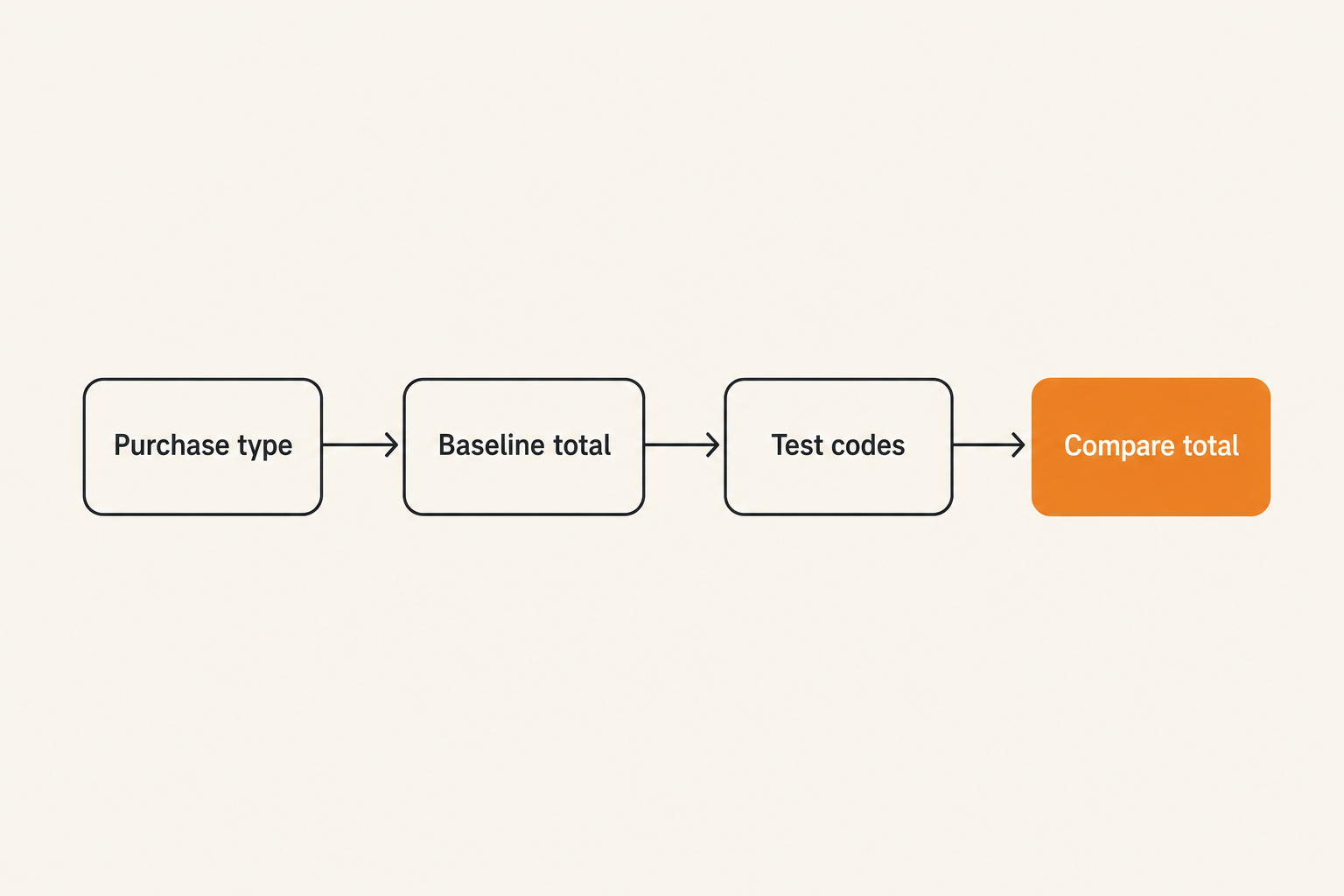
Start with the purchase type
Before you search for a Wayfair coupon, label the order. A single lamp, a bedroom set, a sectional sofa, a rug bundle, and a renovation cart behave differently. The purchase type determines how much effort is worth spending.
For a low-ticket item, a 5-minute coupon check is usually enough. For a $1,500 cart, it is reasonable to test more carefully, compare delivery terms, and wait for a better promotion if the purchase is not urgent. For a renovation cart, the goal may be predictable delivery and returns, not just the deepest discount.
Use a quick classification:
- Small decor: cap coupon hunting at 5 minutes.
- Medium furniture: test 3 to 5 likely codes and compare sale timing.
- Large furniture: track price, delivery, return cost, and promo eligibility.
- Multi-item renovation order: split the cart and test category behavior.
Practical rule: The bigger the cart, the more you should optimize the workflow. The smaller the cart, the more you should protect your time.
Separate store discounts from payment discounts
A Wayfair promo code and a payment reward are not the same thing. A promo code should change the checkout total. A payment reward may show up later as points, statement credit, gift card value, or financing benefit. Mixing them together creates fake confidence.
Separate the layers:
- Store-side discount: sale price, coupon code, automatic checkout offer.
- Cart-side economics: shipping, delivery, assembly, haul-away, returns.
- Payment-side benefit: card rewards, store financing, gift card arbitrage.
If a coupon saves $30 but changes delivery from free to paid, it may not save anything. If financing encourages you to buy a larger item than planned, it is not a discount. If a gift card deal locks you into the store, treat it as store credit, not cash.
Capture the baseline price
Before entering any code, take note of the baseline. You do not need a spreadsheet for every order. You do need enough information to avoid fooling yourself.
Baseline fields:
- Item name or SKU-style description.
- Cart subtotal before code.
- Shipping or delivery cost.
- Tax estimate if shown.
- Final total before code.
- Delivery date or window.
This gives you something to compare against. Without it, shoppers often remember only the discount badge and forget the final total.
Related reading from our network: ID Streaming in 2026 is about media architecture, but the same principle applies here: identity, sessions, and logs matter when you are trying to understand why one account sees a different result than another.
Where to find Wayfair coupon codes without drowning in bad codes
Use community signals before code lists
A raw list of codes is noisy. Some are expired. Some are account-specific. Some are copied from old campaigns. Some never worked and only exist to catch search traffic. The useful signal is not the existence of a code. It is recent successful use with context.
Look for comments or reports that answer:
- When was it tested?
- What category did it work on?
- Was there a minimum order size?
- Did it stack with sale pricing?
- Did it work for new customers only?
- Did it fail at cart or after sign-in?
Many shoppers skip this and go straight to copy-paste mode. That is understandable, but it is inefficient. A code with three recent confirmations on furniture is better than twenty unverified codes with vague labels.
Check store pages and search deliberately
Use store-specific coupon pages first, then broad search. Store pages tend to be cleaner because the context is constrained. Broad search is useful when you know the exact retailer and the exact type of offer you want.
For example, if you are checking multiple furniture and home retailers, browse the broader store directory on c0upons store pages before jumping between random coupon sites. If you already know you want Wayfair specifically, use coupon search with focused terms such as Wayfair furniture coupon, Wayfair first order code, or Wayfair free shipping offer.
The point is not to search forever. The point is to reduce irrelevant inventory.
Treat social screenshots as unverified inventory
Social posts can be useful, especially when people share real checkout screenshots. But screenshots age quickly. They also hide account eligibility, region, cart contents, and whether a code was already applied automatically.
Treat social evidence as a lead, not proof. If someone posts a Wayfair coupon that saved 15 percent, ask what category it applied to and when it was tested. If the post is from a creator or deal account, assume the goal may be traffic, not verification.
A practical filter: if a code cannot be tested in your cart within two minutes, do not build your purchase decision around it.
What works: the Wayfair coupon validation sequence
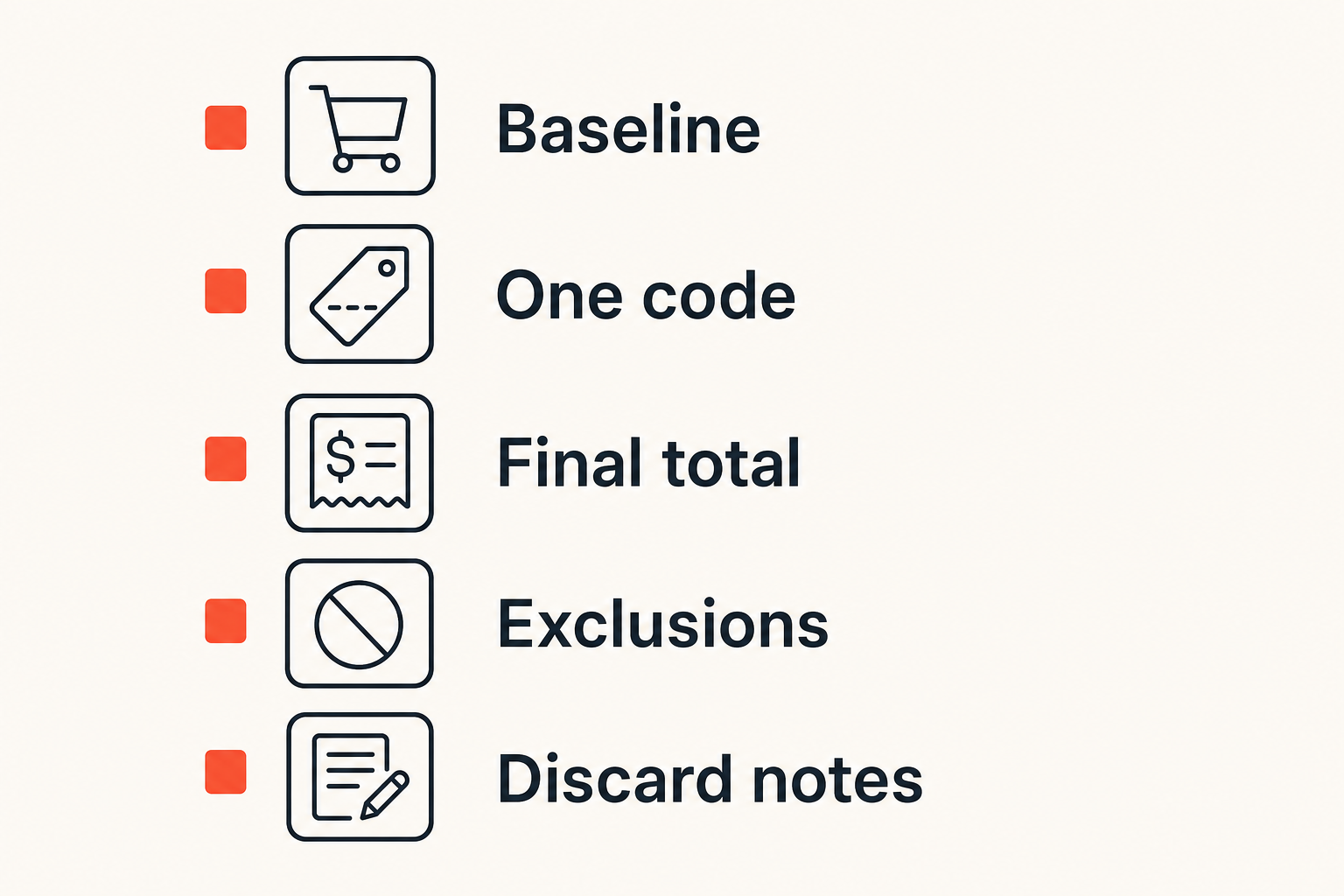
Test one variable at a time
Coupon testing fails when shoppers change too many things at once. They add items, remove items, sign in, change delivery address, switch payment methods, and test a code in the same session. Then they cannot tell what caused the total to change.
Use one-variable testing:
- Start with the baseline cart.
- Enter one Wayfair coupon code.
- Record the final total.
- Remove the code if it fails or underperforms.
- Test the next code against the same cart.
This sounds basic, but it prevents the most common failure mode: thinking a code worked when the cart changed for another reason.
Practical rule: Test promo codes like you are debugging checkout. Change one input, observe the output, then reset before the next test.
Watch the total, not the banner
A coupon banner can say applied while the total barely changes. Sometimes the code applies only to a small eligible item in a larger cart. Sometimes the discount is capped. Sometimes an automatic promotion disappears after the manual code is entered.
Compare these values:
| Test result | Looks good? | Actually useful? |
|---|---|---|
| Code accepted, total unchanged | Yes | No |
| Code accepted, removes sale offer | Maybe | Usually no |
| Code reduces subtotal but adds shipping | Maybe | Check final total |
| Code lowers final total | Yes | Yes |
| Code works only after splitting cart | Maybe | Useful if delivery still works |
The checkout total is the only number that matters. If a code gives 10 percent off but causes a higher delivery charge, the real savings may be smaller than the badge suggests.
Keep a discard pile
Do not retest the same bad codes repeatedly. Keep a temporary discard pile in your notes app:
- Code.
- Date tested.
- Cart category.
- Result.
- Reason rejected.
Example:
- HOME10, tested Aug 14, 2026, area rug, expired message.
- WELCOME15, tested Aug 14, 2026, sectional, new customers only.
- SAVE50, tested Aug 14, 2026, mixed decor cart, accepted but total dropped only $8.
This is especially useful for coupon community members. A failed code with context is still useful information.
What fails: common Wayfair promo code traps
Exclusions hidden behind categories
The most frustrating Wayfair coupon failures usually come from exclusions. The offer may exclude certain brands, categories, closeout items, commercial products, open-box inventory, custom items, or already-discounted products. The code is not necessarily fake. It is just narrower than the headline.
What breaks in practice is category ambiguity. A storage bench might be furniture, entryway, organization, or sale inventory depending on how the retailer classifies it. A bathroom vanity might sit inside renovation, furniture, or fixtures. Your mental category may not match the checkout system category.
The workaround is to test with a single item first. If the code works on one product but not another, you have a category problem, not a code problem.
Coupon collisions and automatic offers
Retailers often run automatic offers that apply without a code. A manual code can collide with those offers. The site may choose one discount, reject the code, or apply the code while removing something else.
This is why before-and-after totals matter. If your cart already has an automatic markdown, a coupon may not stack. The mistake teams make is assuming coupon stacking means every discount layer adds together. In reality, many systems choose the best eligible promotion or block combinations.
If a manual code reduces your subtotal but removes an automatic sale, compare the final total. Do not assume the manual code is better because it feels more active.
Related reading from our network: Incident Commander covers security response ownership, which is a different niche, but the operating lesson is similar: when several moving parts change at once, someone needs to own the decision and the timeline.
Expired codes that still look alive
Expired codes are not always obvious. Some coupon pages keep old codes because they still attract clicks. Some codes have evergreen-looking names. Some campaigns get reused with different eligibility rules.
Signs a code is probably stale:
- No recent successful reports.
- Vague label like sitewide deal with no terms.
- Huge discount with no minimum order listed.
- Comments saying it failed across categories.
- Code appears on many sites with identical copy.
A stale code wastes time, but it can also distort your decision. If you believe a 20 percent code should exist, you may reject a good 10 percent effective savings opportunity while waiting for something unrealistic.
Wayfair coupon stacking: how to think about order of operations
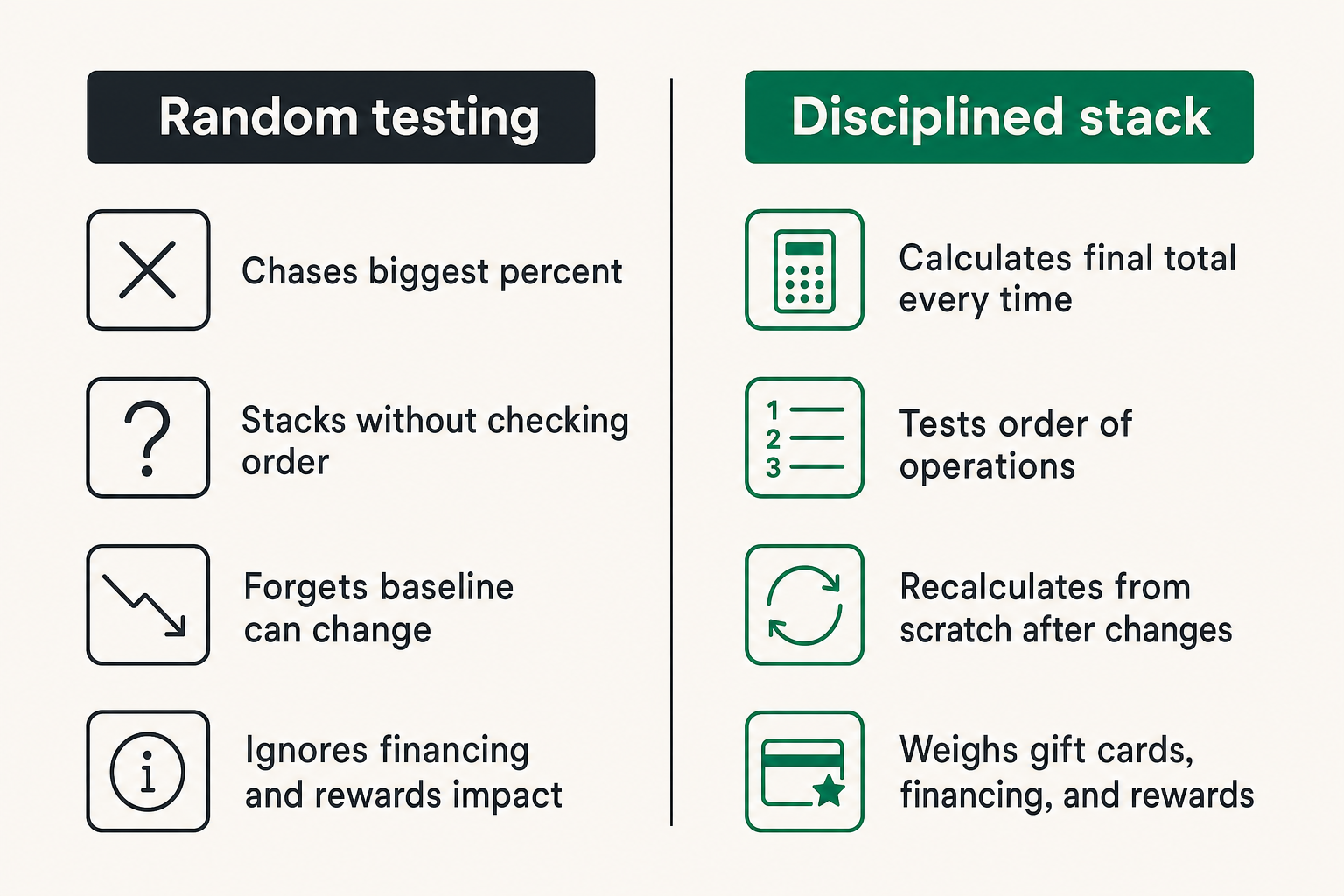
Coupon code versus sale price
A sale price is often the first discount layer. A Wayfair coupon may or may not apply on top. The order matters because some codes calculate against the eligible subtotal after markdowns, not the original price.
Do not compare discounts against the list price. Compare final totals.
Example decision table:
| Scenario | Cart behavior | Better move |
|---|---|---|
| Sale price beats coupon | Code rejected or small discount | Keep sale price |
| Coupon beats current sale | Code lowers final total meaningfully | Use code now |
| Coupon removes automatic offer | Final total rises or barely changes | Remove code |
| Code works on only one item | Mixed cart hides savings | Test split cart |
| Price drops after coupon test | Baseline changed | Recalculate from scratch |
The practical question is not whether stacking is allowed in theory. The practical question is which combination produces the lowest reliable final total.
Gift cards, financing, and rewards
Gift cards can be useful if you were already going to buy from Wayfair. They are less useful if they push you into store credit you may not spend. Financing can help with cash flow, but it can also make an overpriced cart feel manageable. Card rewards matter, but they should not rescue a weak price.
Use this hierarchy:
- Final checkout price.
- Delivery and return economics.
- Payment rewards with real cash value.
- Store credit or future-use rewards.
- Financing convenience.
The mistake shoppers make is putting financing or rewards above the actual purchase price. That can turn a coupon win into a budget loss.
Shipping, returns, and large-item fees
Furniture has operational costs. Delivery windows, room-of-choice delivery, assembly, return shipping, restocking terms, and haul-away services can change the real value of a deal. A coupon that saves $60 is not helpful if the return path is expensive and the item is uncertain.
For large items, verify:
- Delivery method and date range.
- Whether the carrier brings it inside.
- Return cost and return window.
- Assembly requirements.
- Damage reporting process.
- Whether discount affects return refund amount.
That changes the conversation from coupon hunting to purchase risk management. The cheapest checkout is not always the lowest-cost outcome if the item is hard to return.
A practical checkout workflow for budget-conscious shoppers
The seven-step implementation sequence
Here is the workflow that works in production for normal shoppers:
- Define the cart goal. Decide what you are buying and your maximum acceptable total before browsing too deeply.
- Build a clean cart. Add only the items you are seriously considering.
- Record the baseline. Note subtotal, shipping, tax estimate, delivery terms, and final total.
- Source codes from recent signals. Prioritize verified community reports and store-specific searches.
- Test one code at a time. Apply, record final total, remove, and move to the next.
- Compare against non-code savings. Check sale price, delivery cost, payment rewards, and return risk.
- Decide or wait. Buy only if the final total and terms meet the goal.
This sequence protects you from the two expensive mistakes: buying because the coupon worked, and wasting time because the coupon might work.
A simple tracking note
Use a small note instead of a complicated spreadsheet unless the cart is large. The note can look like this:
- Item: queen platform bed and two nightstands.
- Budget ceiling: $850 delivered.
- Baseline: $912 delivered.
- Code A: failed, category excluded.
- Code B: accepted, total $872.
- Code C: accepted, total $889, worse than B.
- Payment reward: estimated $17 value.
- Decision: wait unless total drops below $850 or delivery improves.
The note gives you decision memory. Without it, every new code feels like starting over.
Related reading from our network: Local Community Network Consultant is about local coordination, but coupon communities face a similar routing problem: useful asks, useful offers, follow-up, and trust signals beat random noise.
When to abandon the cart
Abandoning the cart is not a trick. It is a control mechanism. If the final total is above your budget ceiling, the code inventory is weak, or the delivery terms are bad, leave the cart and reassess later.
Abandon when:
- The best code saves less than the shipping increase.
- The item is not urgent and the price feels ordinary.
- You cannot verify return terms for a large item.
- The code requires buying more than you planned.
- The discount creates pressure instead of clarity.
Sometimes the best Wayfair coupon decision is not using one. Sometimes it is waiting for a cleaner sale.
Special cases: furniture, rugs, appliances, and renovation orders
Big-ticket items need approval discipline
For big-ticket furniture, use a higher approval bar. A $20 coupon miss on a lamp is annoying. A poor decision on a sofa can create months of frustration. Comfort, dimensions, fabric, return terms, and delivery quality matter.
Before applying any code, confirm:
- Measurements fit the room and doorway.
- Reviews mention durability, not just appearance.
- Photos match the finish or color you expect.
- Return terms are acceptable.
- Delivery timing works with your schedule.
The coupon should support a good purchase, not justify a risky one.
Multi-room carts create coupon ambiguity
Multi-room carts are hard to optimize because different items may have different eligibility. A code that works on bedroom furniture may not apply to lighting. A sale price on rugs may block a manual code. A free shipping threshold may make splitting the cart expensive.
Test split carts carefully:
- Cart A: large furniture only.
- Cart B: decor and lighting.
- Cart C: rugs or textiles.
- Cart D: full combined cart.
Compare final delivered totals, not just item discounts. Splitting can reveal eligibility, but it can also create extra delivery costs.
Business and rental-property buying
Landlords, short-term rental operators, home stagers, and small offices often buy differently from household shoppers. The goal may be repeatability, delivery reliability, and replacement availability. A Wayfair coupon is still useful, but the cheapest one-off item may not be the best operational choice.
For repeat buying, track:
- SKU consistency.
- Replacement availability.
- Bulk or business pricing options.
- Delivery reliability by location.
- Warranty and damage resolution.
If you are furnishing a rental, a slightly smaller discount on a repeatable item may beat a deep discount on a discontinued product.
Community coupon hygiene: how deal hunters keep codes useful
Report the exact outcome
Coupon communities work when people report outcomes precisely. Worked for me is better than nothing, but it is not enough for high-signal deal hunting.
Useful reports include:
- Date tested.
- Store and code.
- Category or item type.
- Order size range.
- New or existing customer status if relevant.
- Whether sale items were included.
- Final result.
Bad reports create noise. Good reports shorten checkout time for everyone.
Practical rule: A failed Wayfair coupon with clear context is more useful than a vague success report with no cart details.
Share context, not just the code
If you find a working code, share enough context for others to reproduce the result. You do not need to reveal personal information or exact order details. You can say the code worked on a dining chair set over $300, failed on a sale rug, or required sign-in.
If you have a code that is not listed yet, you can contribute it through the coupon submission page so other shoppers can test and improve the signal.
This is the difference between a coupon dump and a coupon workflow. A dump creates volume. A workflow creates trust.
Bounties and hard-to-find discounts
Some discounts are hard to find because they are targeted, short-lived, or category-specific. In those cases, the practical move may be asking the community directly rather than searching alone.
A good coupon request includes:
- Store name.
- Item category.
- Approximate cart size.
- New or existing customer status.
- Deadline.
- Codes already tested.
The more specific the ask, the easier it is for someone else to help. This matters for Wayfair because cart context often determines whether a promo code works.
Where c0upons.com fits into a Wayfair coupon workflow
Use it as a verification layer
c0upons.com is useful when you treat it as part of the workflow, not as a magic answer box. Start with store-specific deal discovery, look for recent community signals, test codes against your actual cart, and share the result when you can.
The product fit is simple: coupon hunting gets better when shoppers can search, compare, submit, and validate codes in one place. That reduces repeated dead-code testing and makes the community more useful over time.
For adjacent savings habits, the c0upons blog includes practical deal workflows for other retailers too, which is useful when you are comparing whether Wayfair is actually the best place to buy a home item.
Make coupon hunting collaborative
The best coupon communities behave like lightweight operations teams. They do not just collect codes. They route signals, remove bad information, confirm edge cases, and keep the feedback loop moving.
What works:
- Recent test reports.
- Clear category notes.
- Honest failure reports.
- No overclaiming on sitewide discounts.
- Fast updates when codes expire.
What fails:
- Posting codes with no date.
- Copying old offers from other sites.
- Treating account-specific offers as universal.
- Ignoring final total changes.
- Celebrating discounts that increase the cart cost.
A Wayfair coupon is only useful when it survives checkout. Everything before that is just a lead.
Try c0upons.com
c0upons.com helps online shoppers find practical ways to save money with coupon codes, promo codes, sales, and deal roundups. If you are testing a Wayfair coupon, use the community workflow: search, validate, compare the final total, and share what worked.